Where keywords live
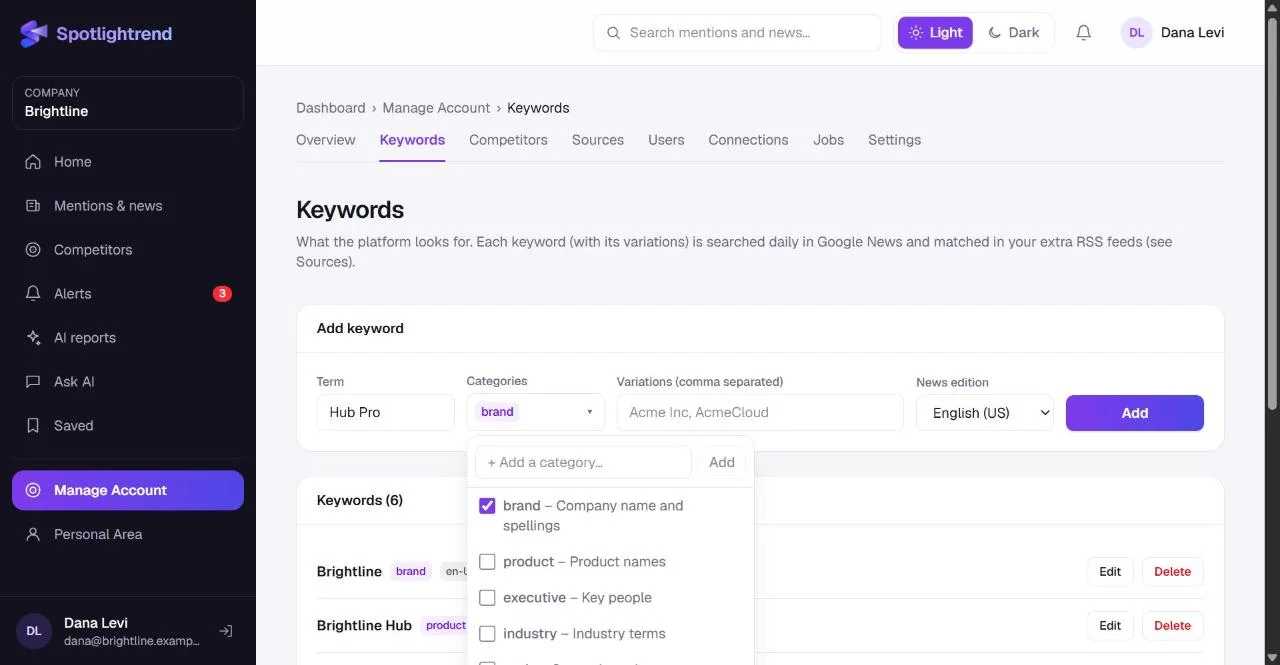
Keywords are in Manage Account → Keywords, which company admins and Account Editors can open. Each keyword is searched every day in Google News and matched against the RSS feeds you add under Sources. An article is kept only if it matches at least one keyword, or one of your competitors when you track them in the news.
Step by step
- 1
Type the term
Use the name as people actually write it. For a company, that's usually the short brand name, not the legal one: "Brightline", not "Brightline Home Technologies Ltd."
- 2
Choose one or more categories
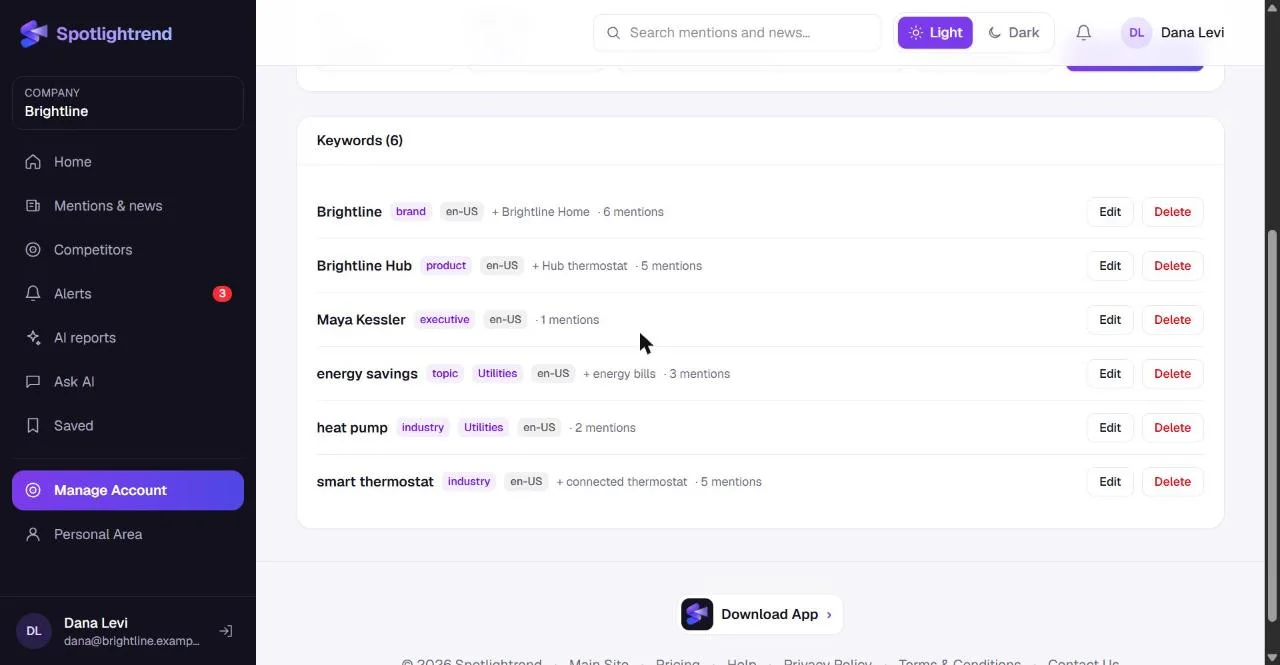
Categories tell the AI what the keyword is: your brand, a product, an executive, an industry term or a strategic topic. A keyword can have several. You can also type your own category at the top of the list, such as "Utilities" or "Partnerships", and it will be offered again for other keywords.
- 3
Add variations
Variations are other spellings and names that should count as the same thing. For Brightline that might be "Brightline Home". Separate them with commas.
- 4
Pick the news edition
This decides which Google News edition is searched: English (US), English (UK), Hebrew, German and so on. If you sell in two markets, add the keyword twice with different editions.
- 5
Click Add
The keyword is searched in the next update. If you don't want to wait for the daily run, press Update now on the dashboard.
What makes a good keyword
Think about the headline you'd want to catch. A journalist writing about you will use your brand name and maybe a product name. They won't use your internal project code, and they'll rarely use a long tagline. Keep each keyword to a word or a short phrase.
For people, use the full name. "Maya Kessler" is precise. "Maya" will match every Maya in the news.
For industry terms, pick phrases that are specific to your space. "Smart thermostat" is a good industry keyword for Brightline. "Energy" is not: it would bring in oil prices, power plants and politics.
Categories, and why they matter
Categories do more than tidy the list. The AI uses them when it scores articles. An article that mentions a keyword in your brand category is read as being about you. An article that only matches an industry keyword is read as market context. That difference affects relevance scores, which in turn affect which articles become alerts.
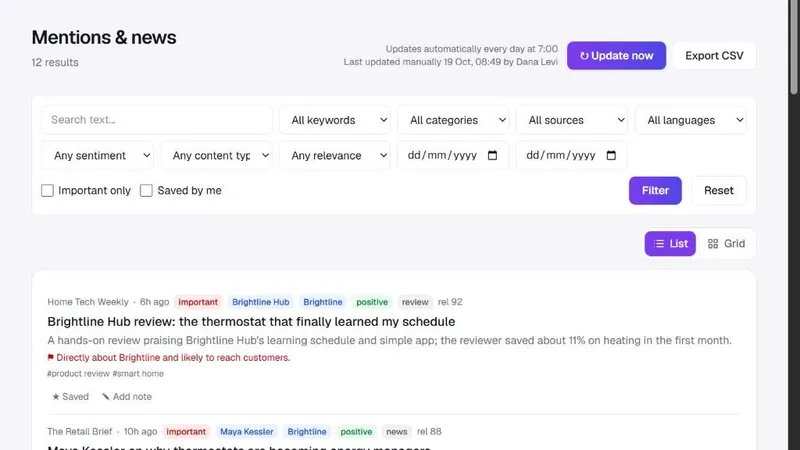
Custom categories are useful for grouping. Brightline tags both "energy savings" and "heat pump" with a custom "Utilities" category, because the team wants to follow everything about utility programs in one place. In Mentions & news, the category filter then shows exactly those articles.
Brand names that are also common words
This is the most common problem. If your brand is called something like "Nova" or "Atlas", searching for it alone returns a flood of unrelated news. Two things help. First, add a second word that almost always appears with your name, for example "Atlas CRM" instead of "Atlas". Second, keep the generic version out entirely and rely on product names and your executives' names instead.
You can also lower the noise after the fact: in Manage Account → Settings, raise the minimum relevance for mention alerts, so only articles the AI considers clearly about you raise an alert.
How many keywords do you need?
Fewer than you think. A typical first setup is:
- One or two brand keywords, with variations.
- Your two or three main product names.
- Your CEO and maybe one other public-facing executive.
- Two or three industry terms.
- One or two strategic topics you want to follow, such as a regulation or a technology.
That's ten or so. Each plan has a keyword limit, and if you reach it you'll see a clear message with a link to upgrade. In our experience, teams that start with ten good keywords end up happier than teams that start with forty.
Check the results after a few days
Give it two or three updates, then open Mentions & news and filter by each keyword. The count next to every keyword in the list tells you where to look first. If a keyword brings in mostly unrelated articles, edit it: make it more specific or remove it. If a keyword finds nothing, check the spelling and the news edition. Pausing is also an option: untick Active when editing, and the keyword stops being searched without losing what it already found.
Competitors are not keywords
You don't need to add competitor names as keywords. When you add a competitor with Track in news turned on, its name is searched in the news automatically, and the articles show up on that competitor's page as well as in Mentions & news. Keeping them separate also keeps your own coverage clean: an article about a competitor won't be scored as if it were about you.
Several languages or markets
If you operate in more than one country, add the important keywords once per news edition. Brightline, for example, could add its brand name with English (US) and again with German if it sells in Germany. Results from both editions appear in the same list, and the language filter in Mentions & news separates them when you need to.
Deleting a keyword doesn't delete articles that were already collected. They stay in Mentions & news and in past reports.
Next
Once your keywords are in place, add your competitors. That's where Spotlightrend starts noticing things you wouldn't find in the news at all.