The short version
Spotlightrend is a monitoring tool for marketing, product and leadership teams. You tell it three things: what to listen for (your brand, your products, your people, the topics of your industry), which competitors to watch, and who on your team should hear about it. From then on it works on its own once a day, and any time someone presses Update now.
Every update does four jobs:
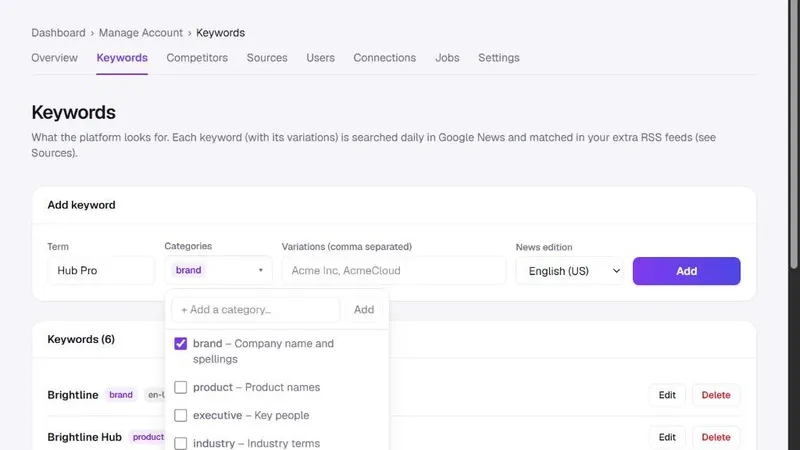
- It collects news and articles that mention your keywords, from Google News and from any RSS feeds you add.
- It scans your competitors' websites and notices new pages, removed pages and changes to the pages you care about, like pricing and product pages.
- It asks an AI model to read what it found: how relevant each article is, whether the tone is positive or negative, what a competitor change actually means.
- It raises alerts for the few things that deserve a person's attention, and sends the emails and Slack messages your team asked for.
What you see when you sign in
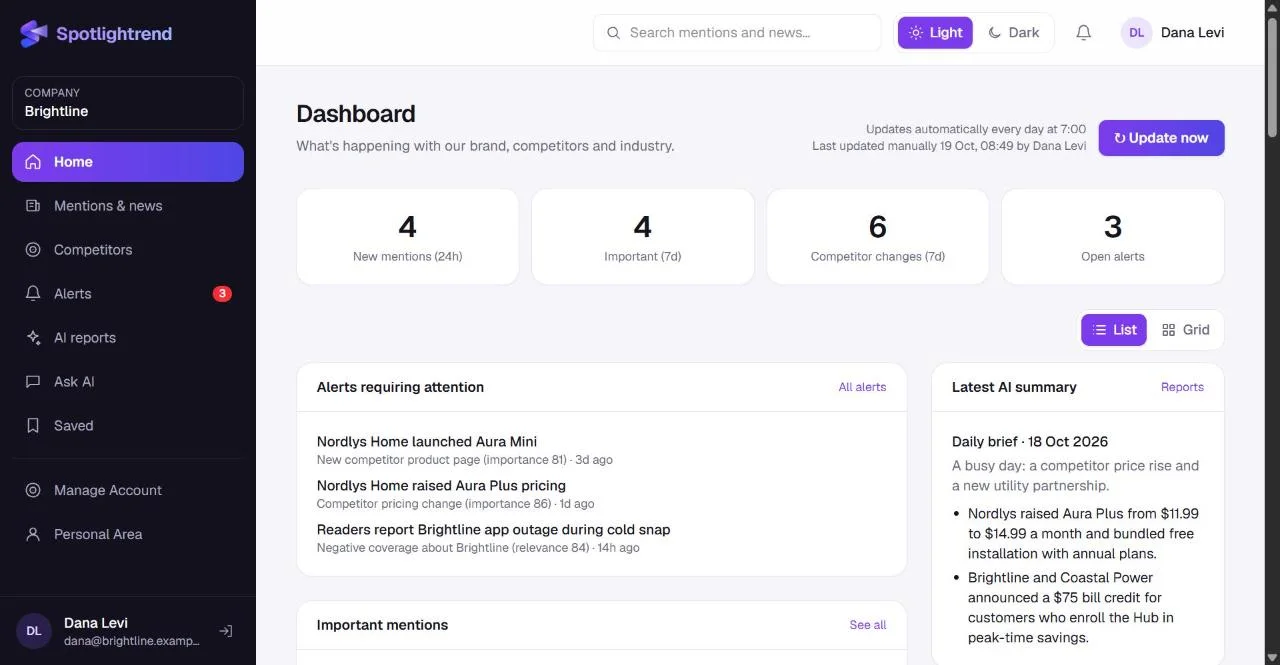
The dashboard is built to be read in under a minute. At the top are four numbers: new mentions in the last day, important items this week, competitor changes this week and open alerts. Below them you get the alerts that still need someone, the important mentions, the latest AI summary and the most recent competitor updates.
If you want more than the summary, every number is a link. Mentions & news is the full archive of articles with filters. Competitors shows each tracked company and the history of every change on its site. AI reports holds the daily and weekly write-ups, and Ask AI lets you ask your own question about everything collected so far.
Facts are kept apart from opinions
This is the part we care about most. AI is good at summarizing and bad at admitting what it doesn't know. So every report in Spotlightrend is split into three sections: verified facts, interpretation and opportunities. Facts must point to a numbered source you can open. Interpretation is clearly labelled as the model's reading of the situation. Opportunities are suggestions, nothing more.
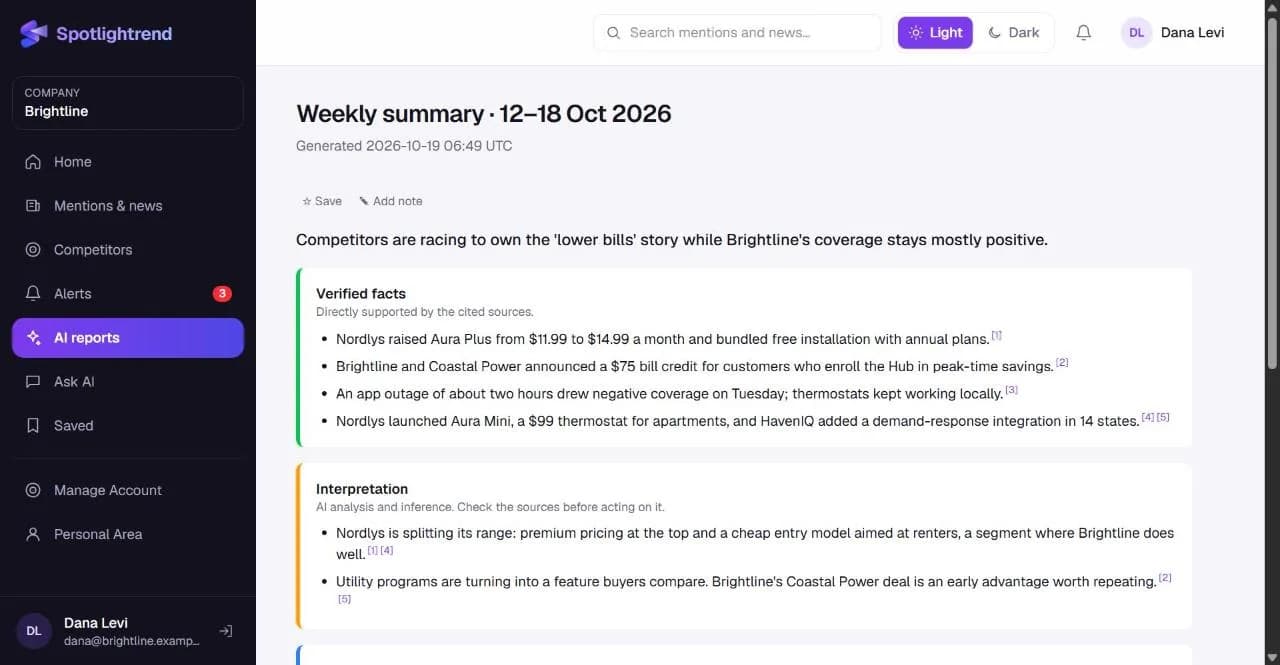
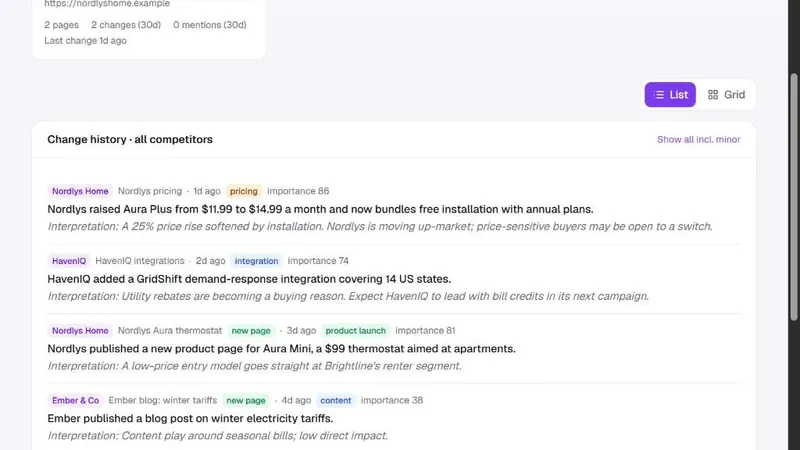
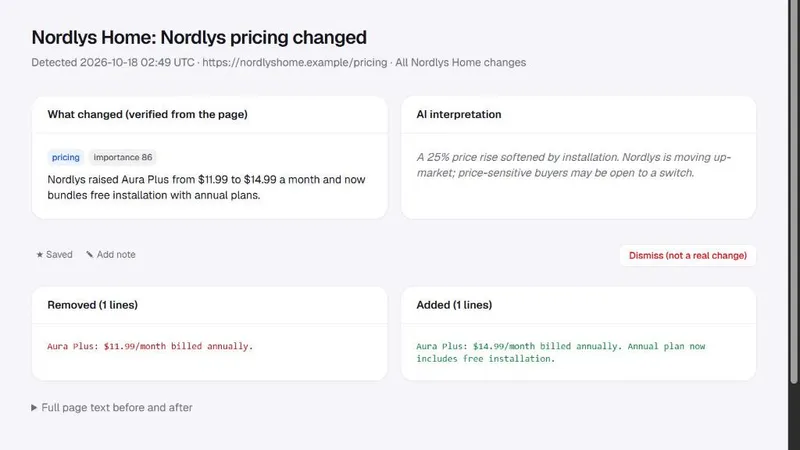
The same idea applies to competitor changes. When a pricing page changes, you see the exact lines that were removed and added, taken from the page itself. The AI's explanation sits next to it, in a separate box, so you can judge it against the real text.
What it doesn't do
It's worth being clear about the limits, because they shape how you use the product.
- It only reads public sources. Nothing behind a login, no private social accounts, no scraping of paid databases.
- It is not a social listening tool for every tweet and comment. The focus is news, publications, blogs, forums that appear in news search, and competitor websites.
- It doesn't replace judgment. A relevance score of 92 means the model thinks the article matters to you. It's usually right, and sometimes it isn't, which is why the sources are always one click away.
- It won't catch a change on a page you didn't ask it to watch. You choose the page types per competitor, and you can add specific pages by hand.
How a normal week looks
Take our demo company, Brightline, which makes a smart thermostat. On Monday the weekly summary arrives. It notes that a competitor, Nordlys Home, raised the price of its premium plan by 25% and launched a $99 model for apartments, both picked up from Nordlys's own website. On Tuesday an article about an app outage gets flagged as an alert because it's negative and directly about Brightline. The support lead adds a note to the article and resolves the alert. On Wednesday the product manager asks Ask AI how competitors changed their pricing this month and gets a short answer with two cited changes.
Nobody on that team spent the week searching. They spent it deciding what to do about what they were shown.
Who sets it up
One company admin sets things up: keywords, competitors, extra sources, Slack and the time of the daily update. That takes about twenty minutes the first time. After that, the admin invites the rest of the team as Account Editors (who can manage the setup but not the team) or Employees (who use the app). Everyone gets their own Personal Area to choose which emails they receive.
Why it runs once a day
People sometimes ask why Spotlightrend isn't real-time. The honest answer is that almost nothing in brand and competitor monitoring needs to be. A pricing change you learn about at 7:00 the next morning is as useful as one you learn about at 3:00 in the afternoon, and a daily rhythm means you get one considered summary instead of forty pings. For the rare day when something is breaking, Update now runs the whole process on demand, and alerts can go straight to Slack.
Start small. Five good keywords and three competitors give you a cleaner picture than thirty keywords added on day one. You can always add more once you see what the results look like.
Where to go next
If you're deciding whether Spotlightrend fits your team, read who it's for. If you already have an account, the getting-started guide on keywords is the best first step, because good keywords are what make everything else useful.