Marketing and communications
If you run marketing, you're probably already doing a version of this by hand. You search your brand name in the morning, you have a Google Alert that sends too much noise, and you find out about a bad review when a colleague forwards it on Slack.
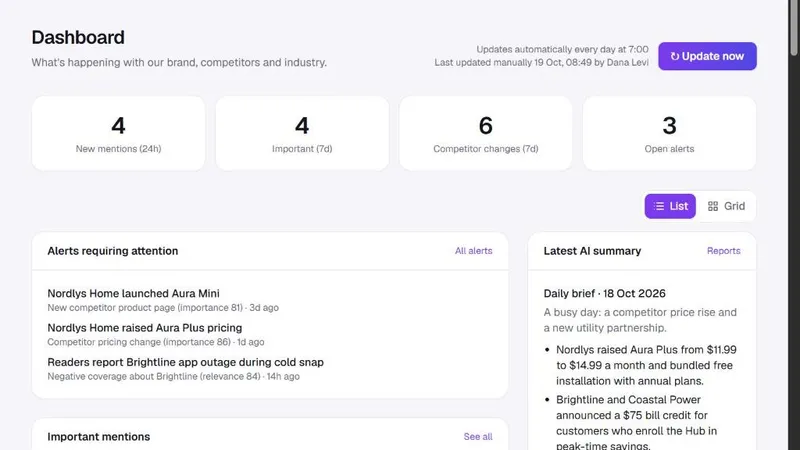
Spotlightrend replaces that routine with one list that is already sorted. Each article comes with a relevance score, a sentiment and a one-line summary, so you can skim twenty items in the time it used to take to open three. Negative coverage that is directly about your brand becomes an alert, which you can route to email or to a Slack channel the whole team watches.
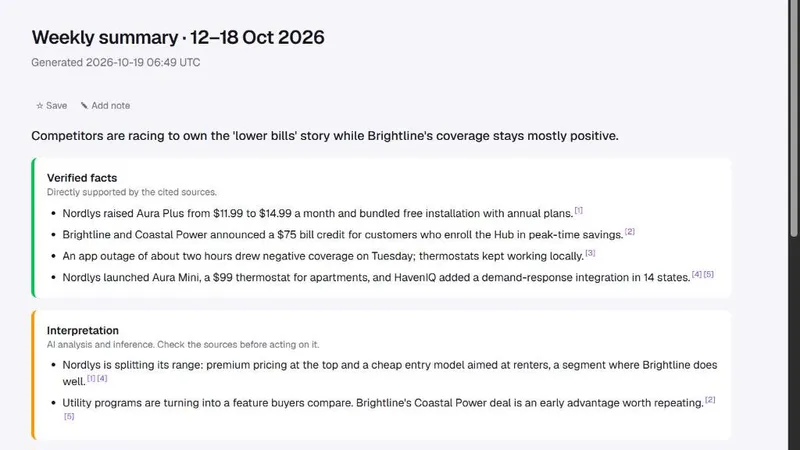
The weekly summary is useful for reporting upward. It already separates what happened from what it might mean, which is exactly the structure a leadership update needs.
Product managers
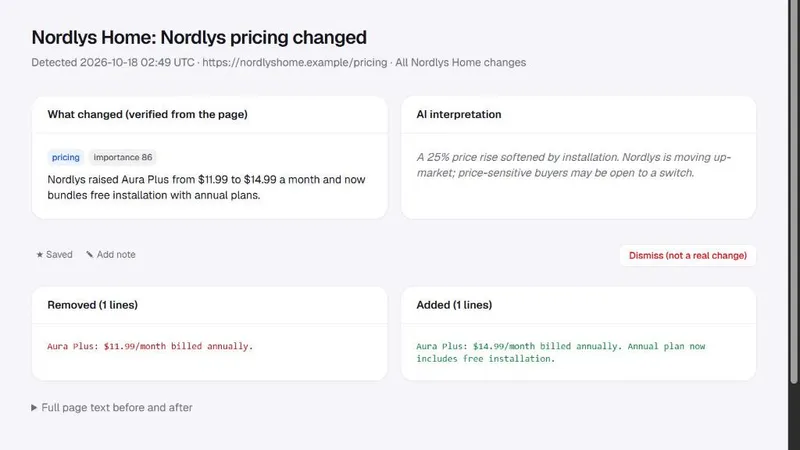
Product teams usually care less about the press and more about what competitors change. When a competitor adds an integration, doubles its free trial or quietly changes what's included in a plan, you want to know that week, not at the next sales call where a prospect mentions it.
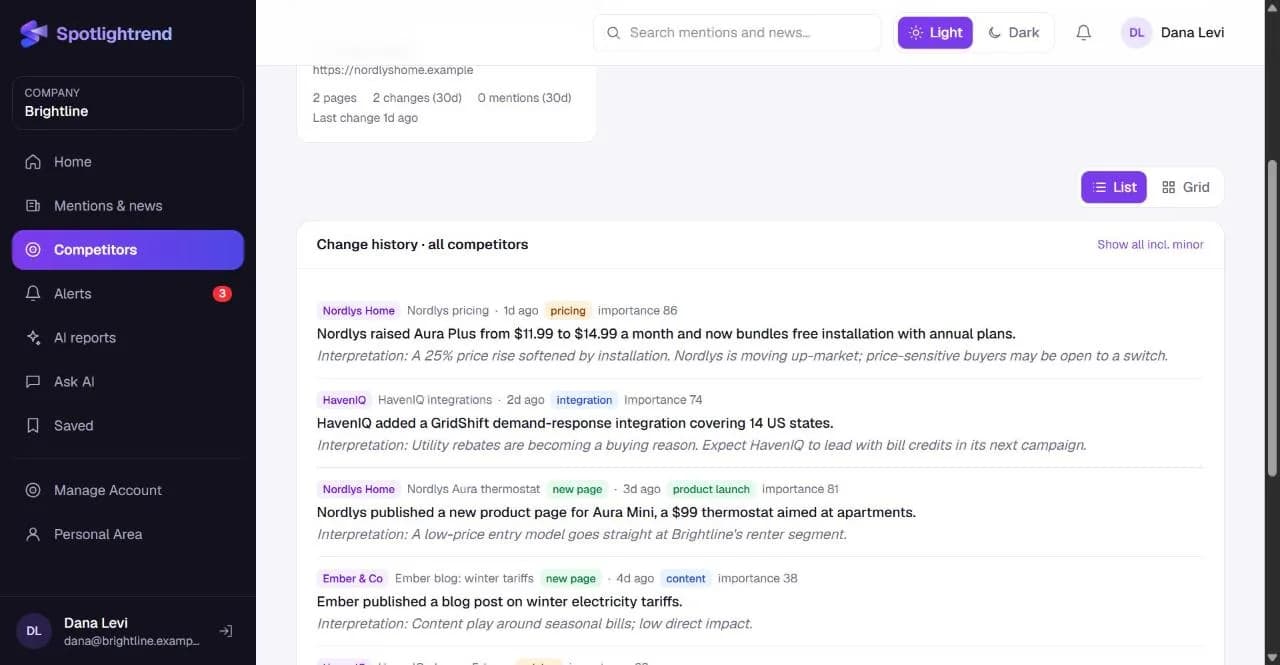
You point Spotlightrend at a competitor's domain and choose what to watch: pricing, product pages, features, integrations, the blog, press releases. It reads the site map every day. New pages show up as launches, removed pages as removals, and edits to pricing or product pages as content changes with the exact before and after text.
Founders and leadership
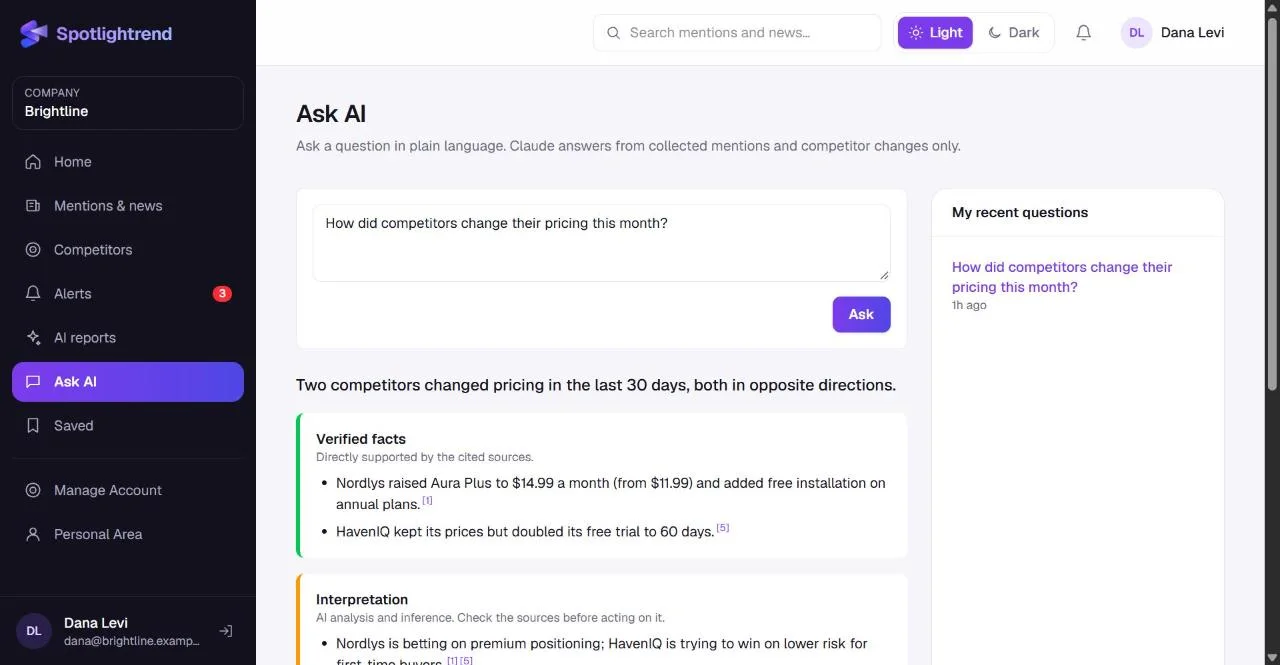
Founders rarely need every article. They need to know if something important happened, and to be able to ask a direct question when it matters. Two features fit that well. The daily brief is a short summary of the last 24 hours, generated each morning. Ask AI lets you type a question such as "How did competitors change their pricing this month?" and get an answer built only from what Spotlightrend has collected, with sources.
Sales teams
Sales benefits indirectly but a lot. A short weekly email with competitor changes helps account executives answer "we're also talking to X" with something current. Some teams set up a scheduled report that goes to the sales channel every Monday with competitor changes only. It takes two minutes to configure in Send Report and nobody has to remember to send it.
Agencies
Agencies that manage communications for several clients can run one company per client. Each company has its own keywords, competitors, users and reports, and nothing is shared between them. A person can belong to several companies and switch between them from the sidebar.
When it's probably not for you
We'd rather you know this before you sign up.
- If your brand is mostly discussed on TikTok, Instagram or in private communities, a social listening tool will serve you better. Spotlightrend focuses on news, publications and websites.
- If you need sentiment analysis on thousands of customer reviews, use a review analytics tool. We classify articles, not every individual review.
- If nobody on the team will read the results, no tool will help. The best setups we see have one owner who checks the dashboard daily and acts on the alerts.
How teams usually roll it out
The pattern we see most often goes like this. In the first week, one person, usually from marketing, sets up keywords and three competitors and just watches the dashboard. They adjust a keyword or two that bring in noise. In the second week they connect Slack and invite the product manager as an Account Editor, who adds the competitors product cares about. By the third week the weekly competitor email goes to sales, and the daily brief has replaced someone's manual morning search.
What doesn't work is inviting the whole company on day one. People open it once, see a list they don't understand yet, and don't come back. Let one owner shape the setup first, then bring others in with a clear reason: "this email tells you what competitors changed this week" lands much better than "we have a new tool".
During a busy week
Monitoring proves its value when something happens. During a launch, the important-only filter in Mentions & news becomes your coverage tracker, and the export gives you a list to send to the agency. During a bad week, such as an outage or a critical review, negative-sentiment filters and alerts show you what's spreading and where, and notes let the team agree on who responds to what without a long email thread.
A quick way to decide
Ask yourself two questions. Did a competitor change something important in the last quarter that you found out about late? And does someone on your team spend more than an hour a week searching the news by hand? If the answer to either is yes, Spotlightrend will probably pay for itself in saved time and in decisions made earlier.
If a free trial is on, use it with real keywords and real competitors. A week of your own data tells you far more than any demo.
Plans differ by how many users, keywords, competitors and RSS feeds you can add, and whether AI features are included. You can see them side by side on the pricing page and change plans later from inside the app.